Fix TM Signal Issue – 100% Working Solution

TM SIM no signal is a common issue that can happen due to weak network coverage, temporary outages, wrong phone settings, or SIM card problems. The TM Signal problem stops calls, messages, and mobile data from working properly. Below are the main reasons and simple, effective fixes to restore your TM signal.
TM No Signal Reasons
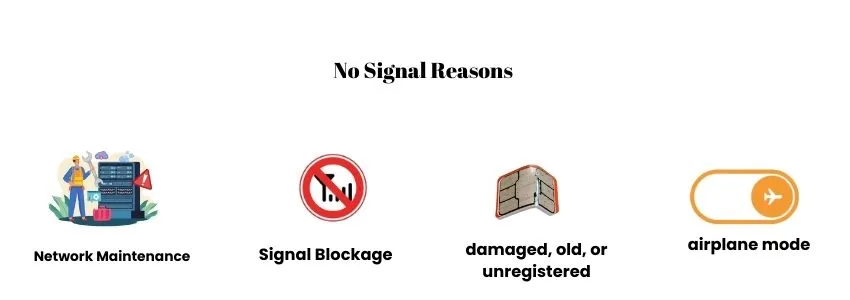
The TM network issue occurs due to several reasons. Below are the details about the reason.
- Globe Telecom performs tower maintenance or upgrades in your area. During these periods, signal strength drops or disappears completely. Users might notice no calls, messages, or mobile data until the network is restored.
- Buildings, basements, rural areas, or far-from-tower locations can block TM signals. Even if your SIM is fine, poor coverage can make calls drop, mobile data fail, or show “no signal” until you move to a better area.
- A damaged, old, or unregistered TM SIM can cause network issues. Check that you have completed TM SIM registration and your SIM is not damaged. The unregistered SIM can also cause such issues. Therefore register your SIM card TM on time.
- Incorrect network mode, airplane mode turned on, or disabled mobile network settings can prevent your TM SIM from receiving a signal.
- Wrong TM APN settings can block mobile data and even affect signal recognition.
How To Fix the TM Signal Problem
You can easily solve the TM no signal problem by following the solutions given below:
Network Maintenance
Check TM’s official social media for outage updates. If the network is down, wait for maintenance to complete. TM also announces the expected time for issue resolution on their official channels. You can also confirm by testing your SIM in another phone to see if the issue is network-wide.
Weak Coverage Areas
If you are in a weak coverage area, move to an open area, near a window, or to a higher floor to improve the signal. Avoid basements or thick-walled areas. A signal booster can also help you get a better network in weak coverage areas.
SIM Card Issue
Sometimes, the SIM card is not properly issued or is broken. Get your SIM out of the mobile, clean it, and reinsert it carefully. Make sure that the SIM is not broken or damaged. If the SIM is broken, you can request a replacement SIM while keeping your existing number. If you are facing issue in calling, check TM balance and ensure that you have sufficient balance.
Phone Setting Problem
Restart your phone and turn Airplane Mode on and off. Make sure your mobile network is turned on and set to automatic (4G/3G/5G). If it still doesn’t work, reset your network settings. Remember, you must back up important data first. If your phone is PUK-locked, unlock it using the TM PUK code to restore your network connection.
APN Settings
APN settings play a major role in your network connection. Incorrect APN settings can lead to no signal, slow internet, or poor connectivity. Always make sure your APN settings are correct to get a stable network connection.
Note: Hopefully, the above fixes will work for you. But if the issue persists, contact the TM helpline and report your issue.
FAQs
Conclusion
TM SIM no signal is a common problem caused by network issues, weak coverage, phone settings, SIM faults, or incorrect APN settings. Most TM signal problems can be easily fixed by following simple steps like restarting your phone, checking the APN, adjusting network settings, or replacing a damaged SIM. You can replace your SIM if it is damaged. If issues persist after taking the important steps, contact TM support for assistance.